Top Social Media Apps Parents Should Monitor to Keep Kids Safe Online
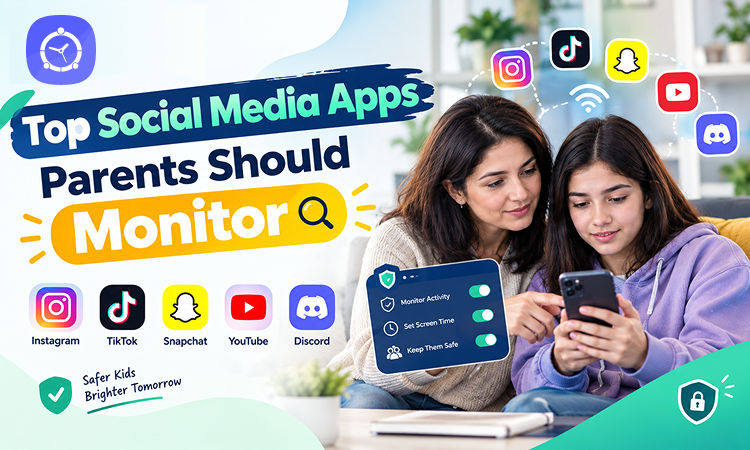
Your child might be scrolling through TikTok, chatting with friends on Snapchat, watching YouTube Shorts, or joining a Discord server. To them, these apps are simply part of everyday life.
But for parents, every new social media app brings another question:
Is this app actually safe for my child?
Social media isn’t automatically dangerous. It can help children stay connected, explore interests, learn new skills, and express themselves. However, features such as private messaging, disappearing content, livestreaming, and algorithm-driven recommendations can introduce risks that aren’t always obvious.
And here’s what makes parenting in the digital age particularly challenging: the apps children use today may be very different from the ones parents grew up with.
You don’t need to become an expert on every social platform. But understanding which apps deserve attention, how their features work, and what safety settings are available can make a meaningful difference.
Let’s explore the top social media apps parents should monitor and how to help children use them more safely.
Why Parents Should Pay Attention to Social Media Apps
For many children and teenagers, social media is more than entertainment. It’s where friendships develop, school conversations continue, and new trends spread.
Unfortunately, these platforms can also expose younger users to situations they may not be prepared to handle.
Common social media risks include:
- Cyberbullying: Hurtful comments, harassment, exclusion, and embarrassing posts.
- Online strangers: Contact from unfamiliar people through messages, comments, or communities.
- Inappropriate content: Exposure to mature, violent, sexual, or disturbing material.
- Privacy risks: Oversharing personal information, photos, or locations.
- Online scams: Fake giveaways, phishing links, impersonation, and account theft.
- Sextortion: Threats involving intimate or manipulated images.
- Excessive screen time: Endless scrolling or late-night social media use interfering with sleep and routines.
- Social pressure: Comparing appearances, popularity, lifestyles, or follower counts.
These risks don’t affect every child equally.
A teenager using a private account to communicate with school friends may have a different experience from someone interacting with strangers through public livestreams.
That’s why parents should focus on how children use social media, not simply whether they use it.
1. TikTok: Short Videos, Viral Trends, and Endless Scrolling
TikTok is one of the most recognizable short-video platforms. Its personalized For You feed recommends videos based on user activity and interests.
Children may enjoy comedy, educational clips, music, sports highlights, and creative trends.
However, the same recommendation system can keep users watching far longer than they originally intended.
What Parents Should Watch For
- Inappropriate videos appearing in recommendations
- Dangerous viral challenges
- Cyberbullying through comments
- Excessive scrolling
- Contact from strangers through permitted interactions
- Pressure to gain likes, views, and followers
TikTok Safety Tips
TikTok generally requires users to be at least 13, although age requirements and available features can vary by region.
Parents should explore TikTok Family Pairing, which provides tools for managing certain teen account settings, including screen time, privacy, and communication features.
Review who can interact with your child’s account and encourage them to report inappropriate content.
Also discuss why a video becoming viral doesn’t automatically make it safe to copy.
2. Snapchat: Disappearing Messages and Location Sharing
Snapchat is especially popular for photo sharing, messaging, Stories, and communication between friends.
One of its defining features is that many messages are designed to disappear after viewing or after a selected period.
That can create a false sense of privacy.
A disappearing message can still be captured, copied, or recorded.
What Parents Should Watch For
- Sharing private photos
- Contact with unfamiliar users
- Cyberbullying through messages
- Location sharing through Snap Map
- Pressure to maintain Snapstreaks
- AI chatbot interactions through My AI
Snapchat Safety Tips
Snapchat generally has a minimum age of 13.
Parents should review Snapchat Family Center, which provides supervision features for eligible teen accounts.
Check your child’s Snap Map settings and discuss when location sharing is appropriate.
Explain that disappearing messages don’t guarantee privacy.
Most importantly, encourage teens to think carefully before sending anything they wouldn’t want someone else to save or share.
3. Instagram: Reels, Direct Messages, and Social Comparison
Instagram allows users to share photos, Stories, Reels, and direct messages.
For teenagers, it can be a place to connect with friends, discover hobbies, and follow creators.
However, Instagram can also create pressure around appearance, popularity, and social approval.
What Parents Should Watch For
- Cyberbullying in comments and messages
- Unrealistic beauty standards
- Contact from unknown accounts
- Inappropriate Reels or recommended content
- Excessive time spent checking likes and followers
- Sharing personal details publicly
Instagram Safety Tips
Instagram generally requires users to be at least 13, with higher minimum ages in some countries.
Meta offers Instagram Teen Accounts, which include age-appropriate protections for eligible teen users, including privacy and messaging restrictions.
Parents can also explore available supervision tools through Instagram’s Family Center.
Talk with teens about edited images, unrealistic online lifestyles, and the importance of not measuring self-worth through social media engagement.
4. Discord: Private Servers, Group Chats, and Gaming Communities
Discord began as a popular communication platform for gamers but has expanded into communities centered on hobbies, education, technology, entertainment, and more.
Users can communicate through text, voice, and video within servers and direct messages.
While many communities are positive, parents should understand that some servers allow conversations with people from around the world.
What Parents Should Watch For
- Conversations with unknown users
- Inappropriate content in servers
- Cyberbullying and harassment
- Private invitations to unfamiliar communities
- Scams involving gaming accounts or virtual items
- Pressure to move conversations into private messages
Discord Safety Tips
Discord generally requires users to be at least 13, or older where local laws require it.
Parents should review the platform’s safety settings, including direct message permissions, friend requests, and sensitive-content protections.
Discord also offers Family Center, which provides eligible parents with certain activity insights without giving them access to the contents of private conversations.
Encourage children to join only appropriate communities and to avoid accepting unexpected invitations.
5. YouTube: Shorts, Comments, and Recommended Videos
YouTube isn’t always described as a traditional social network, but its comments, livestreams, creator communities, and recommendation systems make it an important platform for parents to understand.
Children may use YouTube for entertainment, learning, gaming tutorials, music, and educational videos.
However, recommended videos and Shorts can lead viewers toward content they weren’t originally searching for.
What Parents Should Watch For
- Inappropriate videos
- Misleading information
- Excessive viewing of Shorts
- Harmful challenges
- Unhealthy influencer content
- Exposure to inappropriate comments or livestream interactions
YouTube Safety Tips
Younger children may benefit from YouTube Kids or supervised YouTube experiences.
Parents can use Google Family Link and available YouTube supervision settings to manage age-appropriate access.
Review watch habits and discuss the difference between reliable educational content and videos designed mainly to attract attention.
Remember that Restricted Mode is a filtering tool, not a guarantee that every video will be appropriate.
6. Roblox: Gaming, Chat, and Social Interaction
Roblox is primarily a gaming and creation platform, but its social features make it relevant to conversations about children’s online safety.
Users can play experiences created by other users, interact with players, customize avatars, and communicate through supported chat features.
Many children enjoy Roblox because it combines gaming, creativity, and social interaction.
What Parents Should Watch For
- Contact with unfamiliar players
- Inappropriate user-generated experiences
- Cyberbullying
- Pressure to spend Robux
- Scams involving virtual items
- Conversations moving to external messaging platforms
Roblox Safety Tips
Roblox offers parental controls and age-dependent restrictions for communication and content access.
Parents should connect their account to their child’s account where supported, review content maturity settings, and manage available chat permissions.
Because Roblox’s age verification and communication policies have evolved, check the current settings for your child’s age group.
Teach children never to share passwords or verification codes with other players, even if someone promises free virtual currency.
7. WhatsApp: Private Messaging and Group Chats
WhatsApp is commonly used for family communication, school groups, friendships, and everyday messaging.
Its end-to-end encryption protects the contents of personal messages from being read by WhatsApp during transmission.
However, encryption doesn’t prevent someone from sending harmful or inappropriate messages.
What Parents Should Watch For
- Unknown people contacting your child
- Cyberbullying in school groups
- Suspicious links and scams
- Sharing private photos
- Unwanted group invitations
- Pressure to respond to messages late at night
WhatsApp Safety Tips
WhatsApp’s age requirements and available account types can vary by country and product experience. Parents should check the current eligibility rules.
Review privacy settings for profile photos, online status, group invitations, and location sharing.
Teach children to block and report suspicious contacts.
Also discuss why private group chats should still follow the same standards of kindness and respect as face-to-face conversations.
8. Telegram: Large Groups, Channels, and Public Communities
Telegram offers messaging, group chats, channels, file sharing, and other communication features.
Some users appreciate its flexibility and ability to join large communities.
However, public groups and channels may expose younger users to unfamiliar people and inappropriate content.
What Parents Should Watch For
- Public groups with unsuitable content
- Contact from strangers
- Scams and phishing links
- Unverified information
- Harmful or inappropriate channels
- Misunderstandings about message privacy
Telegram Safety Tips
Parents should review Telegram’s age requirements and privacy controls before allowing access.
Check who can see your child’s phone number, contact them, or add them to groups.
It’s also important to understand that Telegram’s regular cloud chats are not end-to-end encrypted by default; its Secret Chats offer separate end-to-end encryption protections.
For younger children, consider whether the app’s open community features are appropriate at all.
9. Twitch: Livestreaming and Real-Time Chat
Twitch is known for gaming livestreams, but it also hosts creative content, discussions, and other live broadcasts.
Viewers can interact with streamers and other users through live chat.
Because these conversations happen in real time, inappropriate messages may appear before moderators can remove them.
What Parents Should Watch For
- Inappropriate livestream conversations
- Harassment in chat
- Exposure to mature streams
- Contact with unknown viewers
- Pressure to donate or subscribe
- Excessive time spent watching livestreams
Twitch Safety Tips
Twitch generally requires users to be at least 13, with additional restrictions for minors.
Parents should review content labels, privacy settings, and the channels their children follow.
Encourage teens to avoid sharing personal information in public chat.
For younger viewers, watching selected content together may be more appropriate than unsupervised livestreaming.
10. Reddit: Anonymous Communities and Unfiltered Discussions
Reddit is organized around communities called subreddits, where users discuss topics ranging from hobbies and education to gaming, entertainment, and personal experiences.
Its community-based structure can be useful for learning and discovering shared interests.
However, some communities contain mature discussions, disturbing content, or unreliable advice.
What Parents Should Watch For
- Exposure to mature or inappropriate communities
- Harassment and hostile discussions
- Misleading information
- Contact from unfamiliar users
- Oversharing personal experiences
- Harmful advice from anonymous accounts
Reddit Safety Tips
Reddit generally requires users to be at least 13, or older where applicable laws require it.
Parents should review available mature-content and messaging settings.
Encourage teens to avoid sharing identifying details when discussing personal problems.
Remind them that anonymous advice isn’t necessarily accurate or trustworthy.
What About Yubo and AI Companion Apps?
Parents may also hear about social discovery platforms and AI companion apps.
These deserve separate consideration because they can involve interactions beyond ordinary social networking.
Yubo, for example, transitioned to an adults-only platform in November 2025. It now requires users to be at least 18.
That means Yubo should not be treated as an ordinary teen social media option.
AI companion apps also deserve attention because some simulate friendships, personalities, or emotionally intimate conversations.
Before approving any such app, parents should check its current minimum age, privacy practices, content restrictions, and available parental controls.
Which Social Media Apps Are Most Dangerous for Kids?
There isn’t one universally most dangerous social media app.
Risk depends on several factors:
Your child’s age: A platform appropriate for a 17-year-old may not be suitable for a 10-year-old.
Privacy settings: Public profiles and open messaging can increase exposure to unfamiliar people.
Communication features: Private messages, livestreams, and group chats can create different risks.
Content recommendations: Algorithm-driven feeds may expose children to material they weren’t actively searching for.
Your child’s behavior: Sharing personal information, accepting strangers, or participating in risky trends can increase exposure.
Available safety tools: Some platforms provide stronger age-dependent restrictions and parental supervision features than others.
Instead of relying on a single danger ranking, parents should evaluate each app according to their child’s maturity and needs.
Warning Signs Your Child May Be Having Problems on Social Media
Children don’t always tell parents when something uncomfortable happens online.
Watch for changes such as:
- Becoming unusually secretive about online conversations
- Suddenly deleting messages or accounts
- Appearing anxious after receiving notifications
- Withdrawing from friends or family
- Staying awake late to communicate online
- Receiving messages from unfamiliar people
- Becoming distressed about photos or rumors
- Experiencing repeated arguments about device use
- Showing sudden changes in mood after using an app
These signs don’t necessarily mean your child is in danger.
However, they can indicate that it’s time for a calm conversation.
Ask what has been happening rather than immediately assuming the worst.
How Parents Can Monitor Social Media Without Invading Privacy
Monitoring doesn’t have to mean reading every message or watching every online interaction.
As children grow older, privacy and independence become increasingly important.
A healthier approach combines transparency, communication, and reasonable boundaries.
Start With a Conversation
Ask your child which apps they enjoy and why.
Show interest in their favorite creators, communities, and online activities.
Children are more likely to discuss online problems when they don’t feel that every conversation will end in punishment.
Review Privacy Settings Together
Check who can view posts, send messages, see location information, or contact your child.
For younger children, more restrictive settings are generally appropriate.
For teenagers, involve them in understanding and managing their own privacy.
Set Age-Appropriate Boundaries
Not every app is appropriate for every age.
Review platform minimum-age requirements before allowing access.
Also consider your child’s maturity, online behavior, and ability to recognize suspicious interactions.
Establish Healthy Screen Time Rules
Agree on device-free times for meals, homework, bedtime, and family activities.
Encourage regular breaks and offline hobbies.
The goal isn’t simply to reduce screen time but to prevent social media from consistently interfering with important responsibilities.
Teach Kids How to Report Problems
Make sure your child knows how to block and report users.
Discuss cyberbullying, scams, sextortion, fake profiles, and inappropriate messages.
Most importantly, tell them they can ask for help without automatically losing access to their devices.
How FamilyTime Can Help Parents Manage Social Media Apps
Understanding social media risks is the first step. Establishing consistent digital boundaries is the next.
FamilyTime offers parental control tools that can help parents manage children’s app usage, screen time, and access to inappropriate websites.
Manage Access to Social Media Apps
With FamilyTime’s App Blocker, parents can restrict access to supported social media apps they consider inappropriate for their children.
This can be helpful when an app’s communication features or content aren’t suitable for a child’s age.
Set Daily App Limits
FamilyTime’s Daily App Limits can help parents manage the amount of time children spend on selected apps.
Instead of repeatedly reminding children to stop scrolling, parents can establish agreed limits that support healthier digital routines.
Create Screen Time Schedules
With Screen Time Schedule, families can establish device-use boundaries around bedtime, homework, meals, and family activities.
Consistent schedules can reduce late-night scrolling and make screen time expectations easier to understand.
Restrict Inappropriate Websites
FamilyTime’s Web Blocker can help parents restrict access to inappropriate websites.
This adds another layer of protection when children move between social media apps and web browsers.
Build Safer Digital Habits
FamilyTime can support parents in managing app access and screen time, but it doesn’t replace conversations about online safety.
App blocking and time limits cannot guarantee that every social media interaction will be safe.
Parents should combine these tools with platform-specific privacy settings, age-appropriate supervision, and open communication.
The goal is to help children develop safer digital habits—not simply control every minute they spend online.
Create a Family Social Media Safety Checklist
Before allowing your child to use a new social media app, review a few important questions together.
- Does my child meet the platform’s minimum-age requirement?
- Is their profile private where appropriate?
- Can strangers send direct messages?
- Is location sharing disabled or appropriately restricted?
- Are mature-content filters enabled?
- Does the app offer parental supervision?
- Does my child know how to block and report someone?
- Have we discussed scams, cyberbullying, and sextortion?
- Are reasonable screen time boundaries in place?
- Does my child know they can come to me if something goes wrong?
Revisit these questions periodically as apps introduce new features and children become more independent.
Frequently Asked Questions
What social media apps should parents monitor?
Parents should pay attention to platforms such as TikTok, Snapchat, Instagram, Discord, YouTube, Roblox, WhatsApp, Telegram, Twitch, and Reddit, depending on which services their children use.
What is the most dangerous social media app for kids?
There is no single app that is universally the most dangerous. Risks depend on age, privacy settings, content exposure, messaging features, and how a child uses the platform.
Should parents monitor their teenager’s social media?
Age-appropriate supervision can help teenagers stay safer online. Parents should be transparent about boundaries and gradually give teens more independence as they demonstrate responsible behavior.
Can parental control apps block social media?
Many parental control apps, including FamilyTime, provide features for restricting supported apps and managing screen time. Available controls may vary by device and operating system.
How can parents protect kids from social media dangers?
Start with age-appropriate apps, private accounts, communication restrictions, healthy screen time limits, and regular conversations about cyberbullying, strangers, scams, and online privacy.
Final Thoughts: Stay Involved, Not Intrusive
Social media isn’t going away.
New platforms will continue to appear, and existing apps will keep introducing features that change how children communicate and consume content.
Parents don’t need to know every trend or understand every algorithm.
But they should know which apps their children use, what those apps allow users to do, and where potential risks exist.
Start by exploring privacy settings, reviewing age requirements, discussing online strangers, and establishing realistic screen time boundaries.
Tools such as FamilyTime can help families manage app access, website restrictions, and digital routines.
But the strongest protection comes from combining these tools with something technology cannot replace: a trusting relationship in which children feel comfortable talking to their parents about what happens online.
The goal isn’t to monitor every message.
It’s to help children become confident, responsible, and safer digital citizens.