How to Childproof AI Apps on Android & iPhone
Artificial Intelligence (AI) has quickly become part of everyday life. From homework assistance and creative writing to image generation and voice assistants, AI-powered apps are now just a tap away. While these tools can encourage creativity and learning, they also expose children to risks such as inappropriate content, misinformation, excessive screen time, and privacy concerns.
As a parent, you don’t have to ban AI altogether. Instead, you can childproof AI apps by combining device settings, parental controls, and open conversations with your child.
In this guide, we’ll show you exactly how to make AI apps safer on both Android and iPhone.
Why Parents Should Be Concerned About AI Apps
Unlike traditional apps, AI tools generate responses in real time. This means children can ask virtually anything and receive answers that may not always be age-appropriate or accurate.
Some common concerns include:
- Exposure to mature or explicit content
- AI-generated misinformation presented as facts
- Privacy risks when children share personal information
- Emotional dependence on AI chatbots
- Increased screen time and digital distraction
The good news is that with the right precautions, families can enjoy the benefits of AI while reducing these risks.
Step 1: Know Which AI Apps Your Child Uses
Before setting restrictions, identify which AI apps are installed on your child’s device.
Popular AI apps include:
- ChatGPT
- Google Gemini
- Microsoft Copilot
- Character.AI
- Claude
- Perplexity AI
- Snapchat My AI
- AI image generators
- AI writing assistants
Some apps are designed for productivity, while others focus on entertainment or roleplay. Understanding how each app works helps you decide whether it’s appropriate for your child’s age.
Step 2: Enable Screen Time on iPhone
Apple provides built-in parental controls through Screen Time.
You can use it to:
- Set daily app limits
- Restrict app downloads
- Prevent installation of new AI apps
- Block mature web content
- Require approval before purchases
How to enable Screen Time
- Open Settings
- Tap Screen Time
- Select Turn On Screen Time
- Choose This is My Child’s iPhone
- Configure limits and restrictions
You can also use Family Sharing to manage your child’s device remotely.
Step 3: Use Android Parental Controls
Android devices offer parental controls through Google Family Link.
Parents can:
- Approve app downloads
- Block specific AI apps
- Set screen time limits
- Lock devices remotely
- Monitor app usage
Google Play also provides age ratings that help parents identify whether an app is suitable.
Step 4: Review App Permissions
Many AI apps request access to:
- Camera
- Microphone
- Photos
- Contacts
- Location
Ask yourself whether every permission is truly necessary.
For example, a text-based AI chatbot usually doesn’t need continuous location access.
Review permissions regularly and disable anything your child doesn’t need.
Step 5: Teach Children Never to Share Personal Information
One of the biggest AI safety concerns isn’t the technology itself—it’s what users choose to share.
Teach your child never to enter:
- Home address
- School name
- Phone number
- Passwords
- Family financial information
- Private photos
- Personal schedules
Children often think they’re chatting with a trusted assistant, but AI conversations may be stored or used to improve services depending on the platform.
Step 6: Set Daily Usage Limits
AI apps can be incredibly engaging.
Children may spend hours asking questions, creating images, or chatting with AI companions.
Healthy boundaries help prevent excessive screen time.
Consider:
- Homework before AI use
- No AI apps during meals
- Device-free bedtime
- Daily screen time limits
- Weekend-only access for younger children
Consistency is more effective than strict punishment.
Step 7: Monitor AI Conversations Without Invading Trust
It’s important to stay informed about how your child is using AI without making them feel constantly watched.
Instead of secretly checking every conversation, ask questions like:
- What did you create today?
- Did the AI teach you something new?
- Was anything confusing or upsetting?
- Do you know how AI decides its answers?
These conversations encourage critical thinking and make children more likely to come to you if something goes wrong.
Step 8: Block Inappropriate Websites
Many AI tools are available through websites instead of downloadable apps.
Even if you’ve blocked an app, your child may still access similar services through a browser.
Parents should consider:
- Safe browsing filters
- Website blocking
- DNS filtering
- Browser restrictions
- Search SafeSearch settings
This creates another layer of protection.
Step 9: Use a Trusted Parental Control Solution
Built-in parental controls are a great starting point, but many families want additional visibility and flexibility.
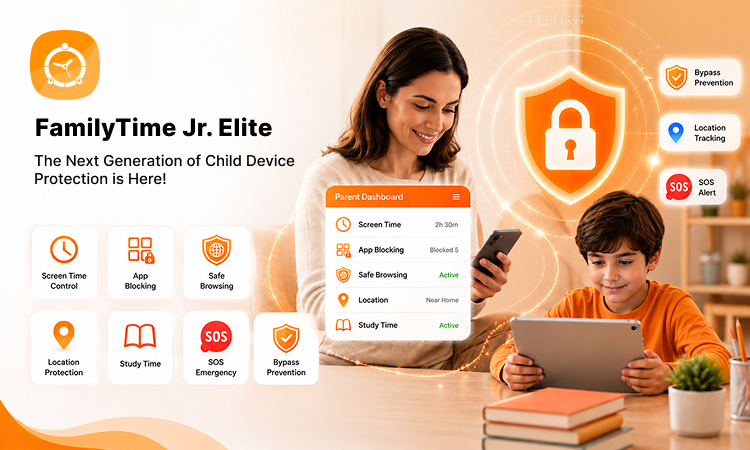
A dedicated parental control solution like FamilyTime can help parents build healthier digital habits by allowing them to:
- Monitor app usage
- Set daily screen time schedules
- Block distracting or inappropriate apps
- Manage device access remotely
- Encourage balanced technology use through customizable rules
Rather than replacing conversations with your child, FamilyTime works best as part of a broader digital parenting strategy that combines guidance, trust, and appropriate boundaries.
Step 10: Help Children Think Critically About AI
AI is powerful—but it’s not always correct.
Teach your child to:
- Verify important information
- Ask parents or teachers when unsure
- Compare answers with trusted sources
- Understand that AI can make mistakes
- Recognize that not every AI-generated image or story reflects reality
Developing critical thinking skills is one of the best long-term protections.
Signs Your Child May Need More Supervision
Watch for changes such as:
- Spending excessive time with AI chatbots
- Hiding conversations
- Becoming emotionally attached to AI companions
- Using AI to complete all schoolwork
- Accessing age-inappropriate AI platforms
If you notice these behaviours, it’s a good opportunity to revisit family technology rules and have an open discussion.
Tips for Different Age Groups
Ages 6–9
- Use AI only with parental supervision.
- Stick to educational activities.
- Keep sessions short.
Ages 10–13
- Introduce responsible AI use.
- Explain online privacy.
- Review new apps before installation.
Ages 14–17
- Encourage independent but responsible use.
- Discuss misinformation and digital ethics.
- Focus on building good decision-making skills rather than relying solely on restrictions.
Frequently Asked Questions
Are AI apps safe for children?
Many AI apps can be useful educational tools, but they may also expose children to inaccurate information, mature content, or privacy risks. Parents should review each app, enable parental controls, and supervise use based on the child’s age.
Can I block AI apps on Android and iPhone?
Yes. Both Android and iPhone include built-in parental controls that let parents restrict app downloads, set screen time limits, and manage access to apps. Third-party parental control apps can provide additional features for managing device use.
Should children use AI for homework?
AI can support learning by explaining concepts or helping with brainstorming, but it shouldn’t replace independent thinking or completing assignments on a child’s behalf. Encourage children to verify AI-generated information with reliable educational sources.
Final Thoughts
AI is becoming a regular part of how children learn, communicate, and explore the digital world. The goal isn’t to eliminate these tools from their lives but to help them use AI responsibly and safely.
By combining device settings, thoughtful conversations, healthy screen time habits, and tools like FamilyTime, parents can create a balanced digital environment where children benefit from AI while staying protected from its potential risks.
Technology will continue to evolve, but informed parenting remains the most effective way to help children navigate it with confidence.