
FamilyTime Blog
  • Product
    • FOR ANDROID
    • FOR IOS
  • FEATURES
  • PREMIUM
  • SUPPORT
  • LOGIN
  • GET STARTED
Select Page
Parenting 101: 3 Ways to Protect Your Teens’ Pictures Online

Parenting 101: 3 Ways to Protect Your Teens’ Pictures Online

by Janice Heddon | Jul 27, 2015 | Parenting 101

Who are the active users of social websites? The answer to the question is teenagers. Today, there are available hundreds of social media websites such as Facebook and Instagram that on one hand play a vital role in connecting people virtually and on the other, these...

60% of Teens in US are Nomophobic, But What the Heck Is This?

60% of Teens in US are Nomophobic, But What the Heck Is This?

by Janice Heddon | Jul 11, 2015 | Parenting 101

Ever feel that your child is restless without their phone? Do they roam around the house with their eyes glued to the phone? Do they even take their phone to the shower with them? You’re always asking them to let go of their phone but they are always like, “I can’t...

Teen Sexting Apps: What parents Need to Know

Teen Sexting Apps: What parents Need to Know

by Janice Heddon | Jun 30, 2015 | Parental Controls

Today, parents have an altogether different set of teen issues to tackle with. Teen depression, suicidal thoughts and body image issues are not the only issues on a parents’ mind; helping their teens with a healthy sexual relationship is also a big challenge! Dating...
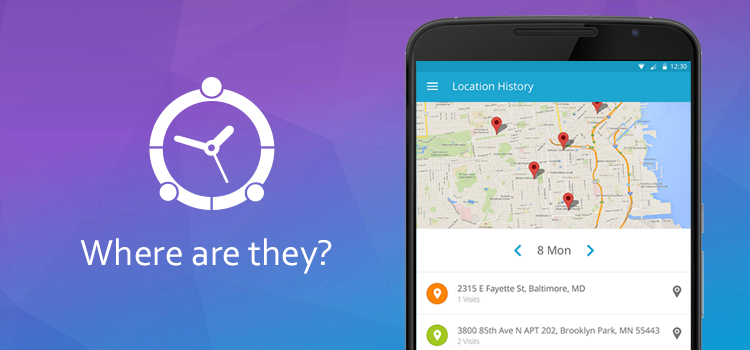
Don’t Have Any Clue Where Your Teens Are? Parents Now Have a Solution!

Don’t Have Any Clue Where Your Teens Are? Parents Now Have a Solution!

by Janice Heddon | Jun 24, 2015 | Family Locator App

Coming back from the work and getting to know that teens aren’t home yet can be quite frustrating. But a number of parents are experiencing teens’ sneaky behavior. It’s getting harder and harder for them to have any clue about where they have been all day long. In...
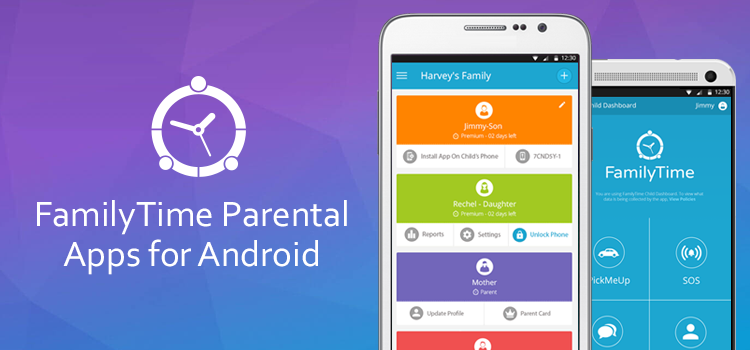
Rejoice Android Users – Parental Controls Apps are Now Live!

Rejoice Android Users – Parental Controls Apps are Now Live!

by Janice Heddon | Jun 5, 2015 | Parental Controls for Android, What's New

Things are picking pace at FamilyTime and we’re euphoric for a good reason! They say that hard work pays off and that’s right- FamilyTime has launched its parental control apps for Android! Now Android using families can keep in touch and get connected smartly! What’s...

« Older Entries
Next Entries »

Categories

  • Announcement
  • Family Locator App
  • Parental Controls
  • Parental Controls for Android
  • Parental Controls for iOS
  • Parenting 101
  • Parenting Advice
  • Parenting Teens
  • Parenting Tips and advices
  • Product Updates
  • Teens' Perspective and Reseearch
  • What's New

Try FamilyTime free for 3 days

Sign up today for a free trial and see why parents all across the World trust FamilyTime.

Start A Free Trial

Feature Articles

Why Kids Should Not Use Phones Before Bed

Why Kids Should Not Use Phones Before Bed

Apr 23, 2026

In today’s digital world, smartphones have become a constant companion—even for children. While technology offers many...

Creating Tech-Free Zones at Home: A Practical Guide

Creating Tech-Free Zones at Home: A Practical Guide

Apr 15, 2026

In today’s hyper-connected world, screens are everywhere. Phones, tablets, TVs, and laptops have become a constant...

Understanding Gen Alpha: Parenting the Digital Generation

Understanding Gen Alpha: Parenting the Digital Generation

Apr 10, 2026

Parenting has never been a static journey, but raising Gen Alpha is a whole new experience. Born roughly between 2010...

familytime-blue-1

FamilyTime

Home

FamilyTime Premium

FamilyTime Blog

Affiliates and Partners

Contact Us

Why FamilyTime

For Parent

For Co-Parents

For Kids

For Android

For IOS

For School

Features

Internet Filter

Family Locator

App Blocker For Android

App Blocker For iOS

Limit Screen Time For Android

Limit Screen Time For iOS

SOS/Panic Button


Help

Customer Help

Knowledge Base

FAQs

How to Install FamilyTime

How FamilyTime Works


Download

Copyright © 2025 Azizolious. All Rights Reserved.

  • Follow
  • Follow
  • Follow
  • Follow