Gaming Chat Dangers Parents Shouldn’t Ignore
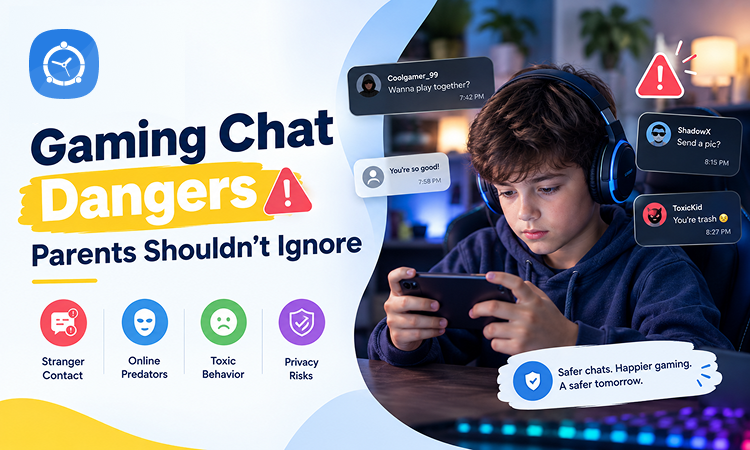
When parents think about the risks of online gaming, screen time is often the first concern. How many hours is my child playing? Is gaming affecting homework? Are they staying up too late?
Those are important questions. But there is another side of online gaming that deserves just as much attention: gaming chat.
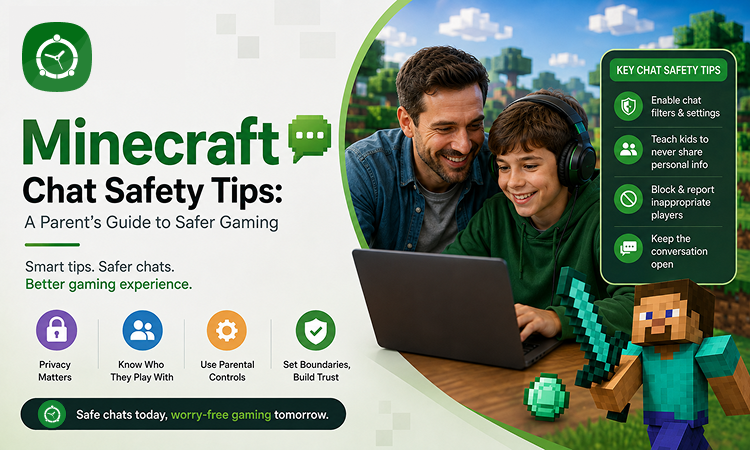
Many popular online games allow players to communicate through text messages, voice chat, private messages, friend requests, and group conversations. For kids, chatting can make games more social and enjoyable. They can coordinate with teammates, celebrate wins, and play with friends.
But gaming chat can also connect children with complete strangers.
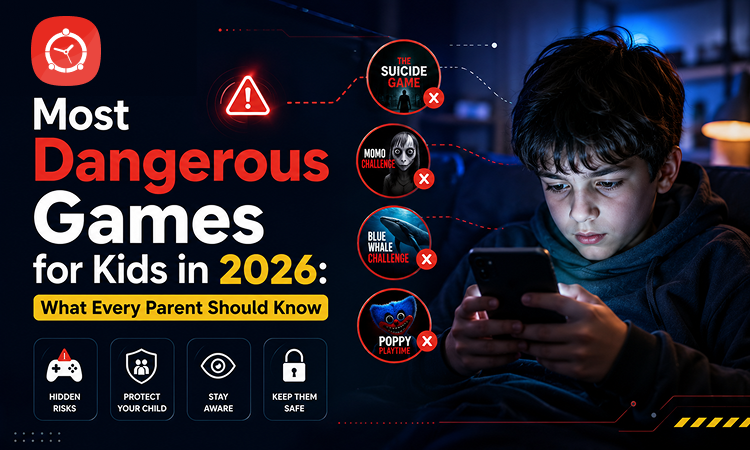
From inappropriate language and cyberbullying to scams, oversharing, and adults pretending to be younger than they are, gaming conversations can expose kids to risks parents may not immediately see.
Here are the gaming chat dangers parents should know about—and practical ways to make online gaming safer.
Why Gaming Chat Deserves Parents’ Attention
Online games aren’t always just games anymore. Many have become social spaces where players meet, communicate, and form friendships.
A child might start playing with school friends but soon encounter hundreds of other players through matchmaking, multiplayer modes, public servers, or gaming communities.
This can create an unusual situation for parents.
You may be able to see the game your child is playing, but you might have no idea who they are talking to while playing it.
Gaming conversations can also move quickly. A stranger can become a gaming “friend,” private messages can follow, and the conversation may eventually move to another platform.
That’s why online gaming safety should involve more than setting a daily screen time limit.
1. Strangers Can Easily Start Conversations
Multiplayer gaming is designed to connect players.
Depending on the game and its settings, your child may be able to communicate with people they have never met through public chat, team chat, voice channels, or direct messages.
Most interactions may be harmless. But children can’t always know who is really behind a username or avatar.
Someone claiming to be 13 could be considerably older. A friendly player could also be trying to collect personal information.
Teach children a simple rule:
A gaming friend is still an online stranger if you don’t know them in real life.
Children should be cautious about trusting someone simply because they have played together regularly.
2. Voice Chat Can Expose Kids to Inappropriate Language
Voice chat creates an experience that text messages don’t: children hear conversations instantly and in real time.
That can also make inappropriate content harder to avoid.
Players may encounter swearing, sexual comments, insults, discriminatory language, aggressive arguments, or discussions that aren’t suitable for their age.
Parents should check whether the games their children play include voice chat and understand what controls are available.
Depending on your child’s age, disabling communication with strangers or limiting chat to approved friends may be appropriate.
3. Cyberbullying Can Hide Inside the Game
Competition can bring out strong emotions.
A missed shot, lost match, or simple disagreement can quickly turn into insults or harassment. Some children may repeatedly be mocked because of their gaming skills, username, voice, gender, or other characteristics.
Cyberbullying through games can include:
- Insults and name-calling
- Deliberately excluding a player
- Repeated hostile messages
- Threats or intimidation
- Spreading rumors
- Targeting someone across multiple matches
- Encouraging other players to harass them
Because these conversations happen during gameplay, parents may never see them.
Watch for changes in behavior. If your child suddenly stops playing a favorite game, becomes upset after gaming, or seems anxious when receiving messages, ask what’s happening.
4. Kids May Share Too Much Personal Information
Gaming friendships can feel surprisingly real to children.
After playing together for weeks or months, a child may feel comfortable revealing information they wouldn’t normally give a stranger.
That might include their:
- Real name
- Age
- School
- Phone number
- Social media accounts
- Home city or neighborhood
- Daily routine
- Photos
- Email address
- Location
Even small pieces of information can add up.
Teach kids to keep personal information out of gaming conversations, profiles, usernames, and livestreams.
A good username should also avoid revealing a child’s full name, birth year, school, or location.
5. Online Grooming Can Begin With Shared Interests
One of the more serious risks parents should understand is online grooming.
Gaming can give a bad actor an easy conversation starter because the child and the other player already share an interest.
The interaction may initially appear completely harmless.
Someone might compliment a child’s gaming ability, offer tips, send virtual items, or regularly join their games. Over time, that person may try to build trust and make the relationship more private.
Warning signs can include someone asking a child to keep conversations secret, requesting personal photos, giving excessive gifts, asking sexual questions, or encouraging the child to move conversations away from the game.
Children should know that safe adults do not ask kids to hide online relationships from their parents.
If an online player starts making them uncomfortable, they should stop communicating, block the account, and tell a trusted adult.
6. “Let’s Chat Somewhere Else” Can Be a Warning Sign
A conversation may begin inside a game but not stay there.
Someone might ask your child to continue chatting through a messaging app, social network, private server, or another communication platform.
There can be innocent reasons for this. Friends often communicate outside games.
But when an unknown person repeatedly pressures a child to move to a more private communication channel, parents should pay attention.
Leaving the original game can also mean leaving behind some of its moderation, reporting, and parental control features.
Teach your child to ask you before adding an online-only gaming contact on another platform.
7. Gaming Scams Can Target Kids
Scammers know that children want skins, virtual currency, rare items, upgrades, and other in-game rewards.
A message such as “I’ll give you a free skin” can be tempting.
The player may then be sent to a fake website, asked for account credentials, encouraged to share a verification code, or convinced to make an unauthorized purchase.
Children should understand that passwords and verification codes should never be shared with another player—even someone they consider an online friend.
Be particularly cautious about links promising free virtual currency, exclusive items, cheats, or rewards that seem too good to be true.
8. In-Game Purchases Can Create Another Pressure Point
Online games frequently include optional purchases for cosmetic items, characters, upgrades, battle passes, or virtual currency.
Gaming friends or other players can add social pressure to spend money.
A child may want the same skin everyone else has or feel left out because friends have premium items.
Parents can reduce surprises by protecting purchases with a password or approval requirement and discussing the difference between virtual items and real-world spending.
9. Toxic Gaming Communities Can Affect Behavior
Not every gaming danger involves a single bad actor.
Sometimes the overall culture of a particular server, group, or gaming community can be the problem.
Repeated exposure to aggressive language, harassment, humiliation, or hostile behavior can gradually make that communication seem normal.
Children may begin copying the language or behavior they encounter.
Parents should occasionally play alongside their children or simply sit with them while they play. It can provide valuable insight into the environment surrounding the game.
Signs Your Child May Be Having Problems in Gaming Chat
Kids don’t always tell parents when something uncomfortable happens online.
Sometimes they fear losing access to the game. Other times, they may feel embarrassed or think they can handle the situation themselves.
Pay attention if your child:
- Suddenly becomes secretive about gaming conversations
- Quickly minimizes chat windows when you enter
- Becomes upset, angry, or anxious after playing
- Receives messages from unfamiliar people
- Starts communicating with gaming friends late at night
- Talks about an online friend you have never heard about
- Receives unexplained virtual gifts
- Wants to move gaming conversations to private platforms
- Suddenly stops playing a favorite game
None of these signs automatically means something dangerous is happening. They are simply good reasons to start a calm conversation.
How Parents Can Make Gaming Chat Safer
Protecting kids doesn’t necessarily mean eliminating multiplayer gaming.
Instead, parents can create boundaries based on the child’s age and maturity.
Start by exploring the game’s privacy and communication settings together. Find out who can send friend requests, direct messages, or voice chat invitations.
For younger children, consider limiting communication to people they actually know.
Teach kids how to mute, block, and report another player. More importantly, make sure they know they won’t automatically lose gaming privileges simply because they tell you about an uncomfortable interaction.
That reassurance can make children more willing to ask for help.
Don’t Focus Only on Screen Time
Screen time matters, but focusing exclusively on the number of hours a child plays can overlook what happens during those hours.
Two children could both spend an hour gaming and have completely different experiences.
One might be playing privately with school friends. The other might be communicating with dozens of unknown people through an open voice channel.
Parents should therefore consider both how long kids play and how they interact while playing.
Healthy gaming rules might cover when children can play, which games they can use, who they can communicate with, what information they can share, and when they need to tell a parent about an interaction.
How FamilyTime Can Support Safer Gaming Habits
Open conversations should remain at the center of children’s online safety. Technology can then help parents put reasonable boundaries around those conversations.
FamilyTime gives parents practical tools for managing how children use games and other apps on their devices.
With App Blocker, parents can restrict access to games or apps they consider inappropriate. Parents can also use Daily App Limits to decide how much time children can spend on particular apps.
Screen Time Schedule can help families establish device-free periods for homework, bedtime, meals, and family activities.
FamilyTime’s Web Blocker can also help parents restrict inappropriate web content, adding another layer of protection when children move between gaming and browsing.
These tools can be especially helpful when combined with clear family rules. Parental controls shouldn’t replace conversations about online strangers, privacy, cyberbullying, and scams. They can help parents turn those conversations into consistent digital boundaries.
Create a Family Gaming Safety Agreement
A long list of rules can be difficult for children to remember.
Instead, create a few simple gaming rules together.
For example:
Don’t share personal information. Don’t accept unknown links or gifts. Don’t add strangers on other apps. Block people who make you uncomfortable. Tell a parent when something feels wrong.
Also make it clear that safety matters more than winning a match or keeping an online friendship.
Children are much more likely to approach parents when they know they will be listened to rather than immediately blamed.
Final Thoughts
Online gaming can offer children entertainment, teamwork, creativity, problem-solving, and opportunities to connect with friends.
But parents shouldn’t overlook the social side of gaming.
Voice chat, private messages, unknown players, cyberbullying, scams, oversharing, and inappropriate conversations can turn an ordinary gaming session into something parents never expected.
The answer isn’t necessarily to remove gaming from children’s lives.
Instead, know what they’re playing, understand who they can communicate with, use appropriate parental controls, and keep conversations about online safety going.
Tools like FamilyTime can help parents manage games, apps, screen time, and web access. But the strongest protection remains a child who knows how to recognize risky behavior—and feels comfortable telling a parent when something doesn’t seem right.