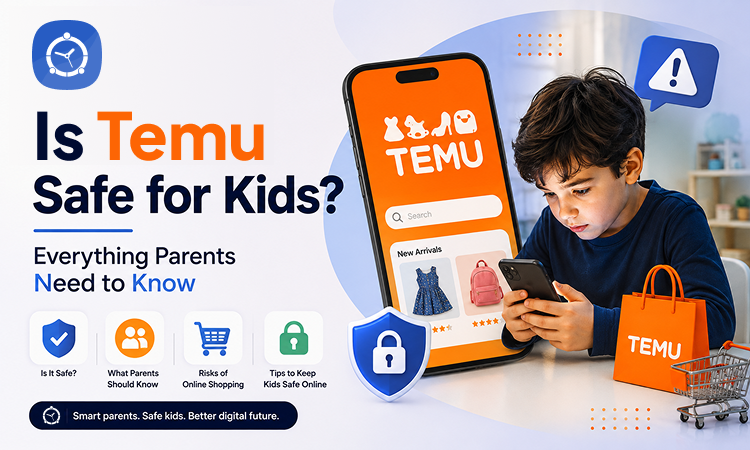
Is Temu Safe for Kids? Everything Parents Need to Know
Online shopping has become a part of everyday life. With just a few taps, families can order clothes, gadgets, home décor, school supplies, and much more. Among the many shopping apps available today, Temu has gained massive popularity because of its incredibly low prices and frequent promotions.
While the platform may seem like a great way to save money, many parents are asking an important question:
Is Temu safe for kids and teenagers?
If your child has downloaded the app or keeps asking to buy products from it, this guide will help you understand how Temu works, the potential risks, and how you can help your family shop more safely.
What Is Temu?
Temu is an online marketplace launched in 2022 by PDD Holdings, the parent company of the Chinese e-commerce platform Pinduoduo. It connects shoppers with thousands of third-party sellers offering products across nearly every category imaginable.
You can find:
- Clothing and accessories
- Toys and games
- Electronics
- Beauty products
- Home décor
- Kitchen gadgets
- Pet supplies
- School essentials
One of the biggest reasons behind Temu’s popularity is its pricing. Many products are available for just a few dollars, often much cheaper than similar items on other marketplaces.
Why Is Temu So Popular Among Teens?
Children and teenagers are naturally attracted to Temu for several reasons.
Extremely Low Prices
Teens can buy trendy accessories, phone cases, jewellery, or clothing without spending much money.
Endless Scrolling
The app is designed to keep users browsing with personalised recommendations, flash sales, and daily deals.
Gamified Shopping
Temu frequently uses games, reward points, spin-the-wheel promotions, and countdown timers that encourage users to spend more time in the app.
Social Media Influence
TikTok, Instagram, and YouTube are filled with Temu shopping hauls, making the app even more appealing to young users.
Is Temu Safe for Kids?
Temu itself is not considered a dangerous app, but there are several concerns parents should understand before allowing children to shop independently.
1. Impulse Spending
Because products are so inexpensive, children may believe that buying “just one more item” isn’t a big deal.
Unfortunately, small purchases can quickly add up.
2. In-App Marketing Tactics
Temu uses several techniques designed to increase purchases, including:
- Limited-time discounts
- Countdown timers
- Daily rewards
- Coupons
- Mystery offers
- Referral bonuses
These features can be especially persuasive for younger users who may not recognise marketing strategies.
3. Privacy Concerns
Like many shopping apps, Temu collects user information to personalise the shopping experience.
Depending on permissions granted, this may include:
- Account information
- Purchase history
- Device information
- Location data
- Browsing behaviour
Parents should always review app permissions before allowing children to use any shopping platform.
4. Product Quality Can Vary
Because Temu is a marketplace with many independent sellers, product quality is not always consistent.
Some buyers receive exactly what they expected, while others report items that differ from product photos or descriptions.
Teaching children to read reviews and avoid unrealistic expectations is an important digital shopping skill.
5. Spending Without Understanding Value
Children often focus on low prices instead of total spending.
Buying ten $3 items still means spending $30.
Helping kids understand budgeting and comparing prices can prevent unnecessary purchases.
Can Kids Buy Things on Temu?
Technically, children can browse the app easily.
However, purchases typically require:
- A payment method
- An account
- Shipping information
If payment methods are already saved on a parent’s phone or device, accidental purchases become much easier.
Parents should regularly check:
- Saved credit cards
- Digital wallets
- Purchase permissions
- App Store purchase settings
What About Product Safety?
Parents should be especially careful when buying products intended for children.
Examples include:
- Toys
- Baby products
- Cosmetics
- Chargers
- Electronic accessories
Whenever possible:
- Read customer reviews.
- Check product descriptions carefully.
- Avoid products with very few reviews.
- Purchase safety-sensitive products from trusted brands whenever possible.
Tips for Parents
Helping children shop responsibly doesn’t mean banning online shopping altogether. Instead, focus on building healthy digital habits.
Talk About Smart Spending
Explain that low prices don’t always mean good value.
Teach children to ask:
- Do I actually need this?
- Will I still want it next week?
- Is there a better-quality option?
Set Spending Limits
Consider giving older children a monthly shopping budget instead of allowing unlimited purchases.
This helps build financial responsibility.
Shop Together
Instead of allowing children to order independently, browse products together.
You can discuss:
- Reviews
- Seller ratings
- Product quality
- Shipping times
- Return policies
This turns online shopping into a learning opportunity.
Review Privacy Settings
Check what permissions the app has on your child’s device.
Disable any permissions that aren’t necessary.
Monitor Screen Time
Shopping apps are designed to keep users engaged through endless scrolling and personalised recommendations.
If your child spends a significant amount of time browsing shopping apps instead of focusing on homework, hobbies, or family time, it may be time to set healthy digital boundaries.
Using parental control tools like FamilyTime can help parents monitor overall screen time, establish daily app limits, and encourage healthier digital habits without needing to constantly supervise every activity. Rather than focusing only on blocking apps, FamilyTime helps families create balanced technology use and meaningful conversations about responsible online behaviour.
Signs Your Child May Be Overusing Shopping Apps
Watch for behaviours such as:
- Frequently asking for money
- Secretive online purchases
- Constant browsing without buying
- Following shopping influencers excessively
- Becoming upset when unable to make purchases
- Obsessing over discounts and flash sales
These may indicate that online shopping is becoming more than just an occasional activity.
Teaching Digital Shopping Skills
Online shopping is becoming a lifelong skill.
Parents can prepare children by teaching them to:
- Compare prices across websites.
- Read product reviews carefully.
- Understand return policies.
- Recognise advertising tactics.
- Protect personal information.
- Avoid impulse purchases.
- Stick to a budget.
These lessons are valuable regardless of which shopping platform they use.
Final Thoughts
Temu offers an enormous selection of products at prices that can be hard to ignore. While the app itself isn’t inherently unsafe, its marketing tactics, endless browsing experience, and impulse-buying features can make it especially appealing to younger users.
The best approach isn’t necessarily to forbid children from using shopping apps—it’s to guide them toward making informed decisions. By discussing budgeting, reviewing purchases together, and setting reasonable digital boundaries, parents can help their children become smarter and more responsible online shoppers.